Every app on your Linux desktop.
One list.
A Control-Panel-style installed apps window for any Linux distro. Flatpaks, Snaps, Homebrew, AppImages, Steam games and your distro's own packages, all searchable, with a checkbox and a Remove button.

Ten sources, one window
Software comes from everywhere. App Manager finds all of it, on Fedora, Ubuntu, Debian, Arch, openSUSE and their relatives, and shows the exact command it would run to remove each one.
Flatpak
Remove apps and optionally their data. Update one app or all of them.
Snap
Snap apps without the runtimes and bases that come with them.
Homebrew
Only the formulae you installed, not dependencies, so nothing breaks by accident.
rpm-ostree
Layered packages on Bazzite, Silverblue and Kinoite.
Distrobox & Toolbox
See your containers and delete the ones you no longer use.
AppImage
Finds .AppImage files and their launchers. Removal goes to the trash.
Steam
Your games and demos from the app menu, uninstalled through Steam itself.
Local
Apps you installed by hand and web apps, cleaned up with their folder.
System
Your distro's own packages through apt, dnf, pacman, zypper or an rpm-ostree override.
Remove with confidence
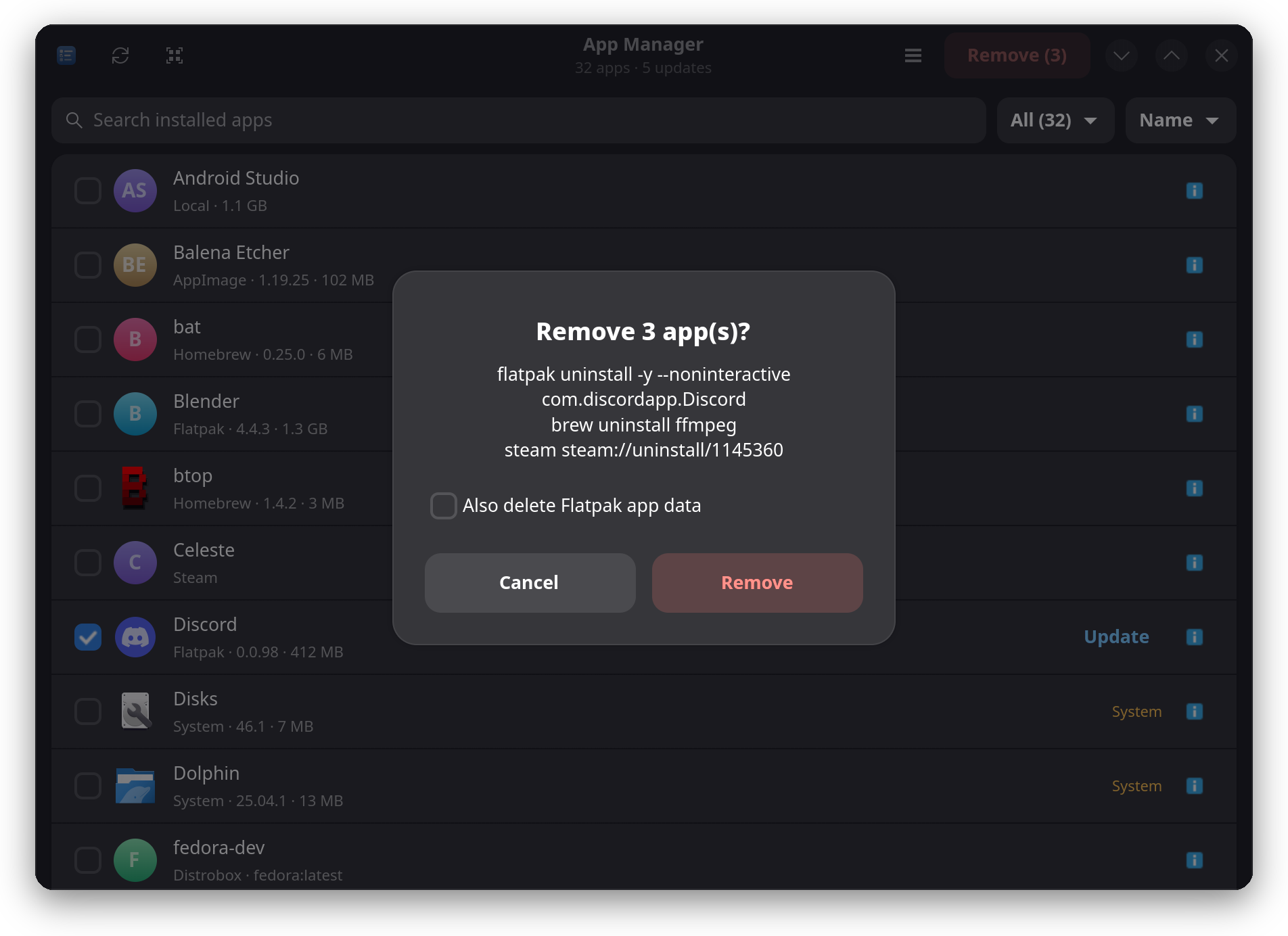
Every removal is spelled out before it runs. Nothing happens until you confirm.
- Exact commands shown. The dialog lists what will run, line by line.
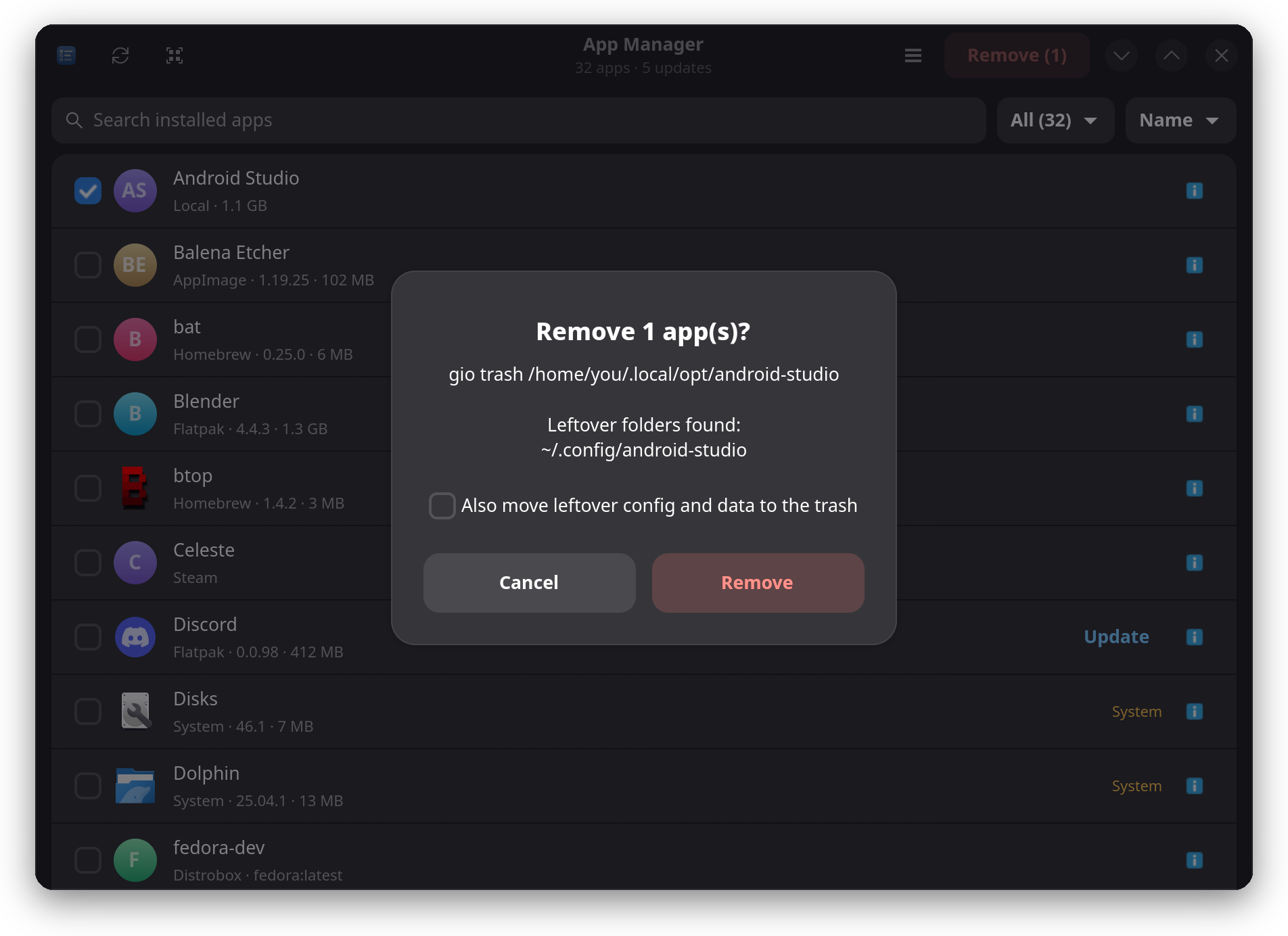
- Recoverable by default. AppImage and local removals go to the trash.
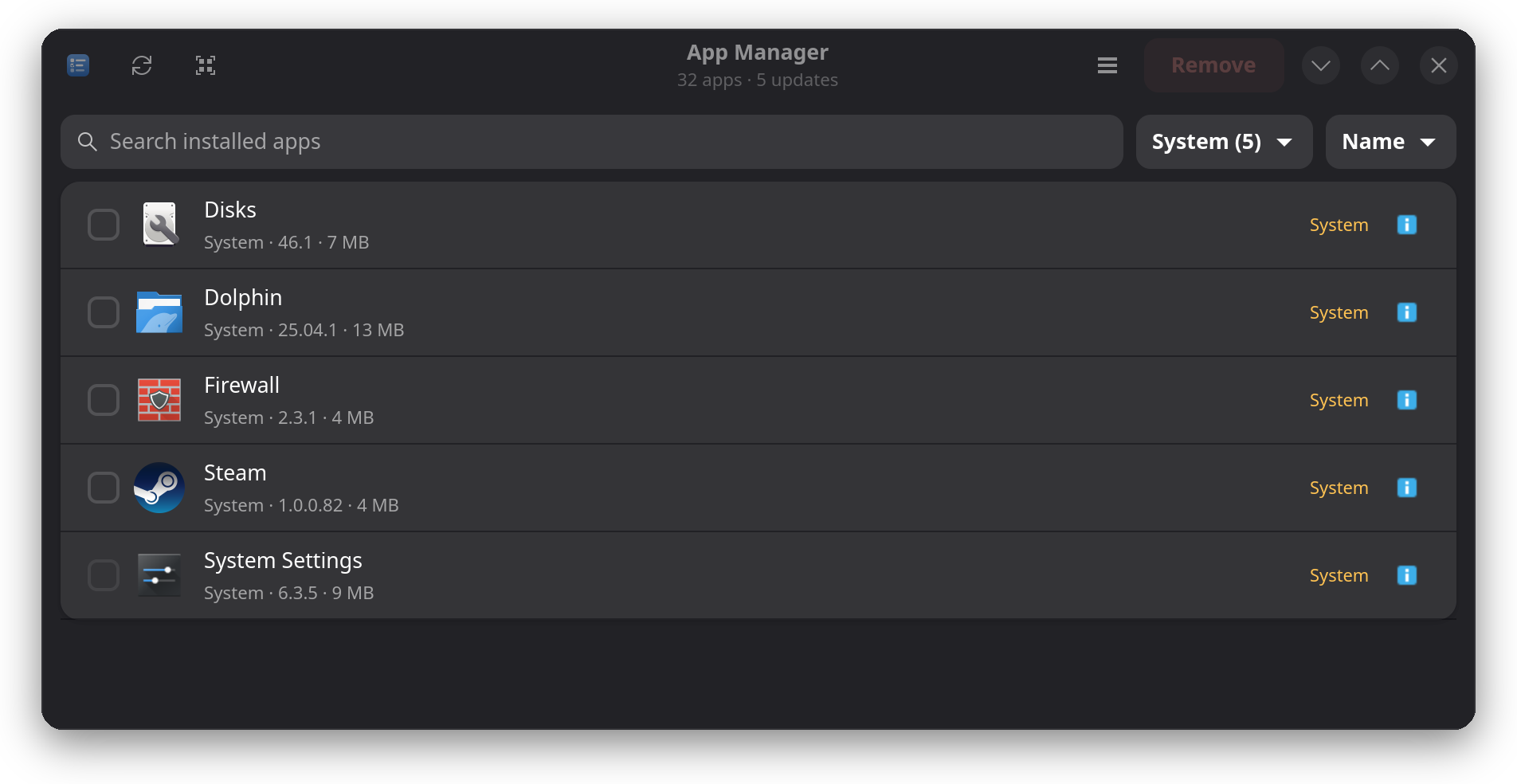
- System apps are marked. They never get picked by select-all, and core packages like the Plasma shell are locked.
- Reversible base changes. Undo a system removal with
rpm-ostree override reset.
Know what you are touching
Base-image apps carry an amber System label. Core packages show a greyed-out checkbox, so the one thing you cannot undo is the one thing you cannot click.
- Search by typing anywhere, sort by name, size or source.
- Per-source counts in the filter, update badges on every row.
- Details for each app: version, size, install location, remove command.
Stay up to date
Updates show up as a button on the row. Update one app, update everything, or let App Manager do it for you.
- One-click updates for Flatpak, Homebrew, Snap and AppImage apps.
- Automatic updates. Flip one switch and a daily systemd timer keeps your apps current in the background.
- Self-updating. A banner tells you when a new App Manager release is out, and updates a git checkout in one click.
- Leftovers cleanup. Optionally move an app's config and data folders to the trash when you remove it.
Install in a minute
One Python file. Nothing to build, nothing to pip install. Needs GTK 4, libadwaita 1.5+ and PyGObject, which current Fedora, Ubuntu 24.04+, Debian 13+ and Arch ship or install in one command.
Clone
Grab the repo from GitHub.
Add to your menu
Run the install script once.
Open it
Search "App Manager" in your launcher.